
 Unsplash (verify the individual image licence and attribution requirements before publication).
Cloud Computing Explained: What Happens to Your Data and Apps
When you save a document in Google Drive, submit work through a learning platform, or open a web-based business app, your device is usually only the front end. The computing and storage happen on remote servers reached over the internet. In NIST’s formal definition, cloud computing provides on-demand network access to a shared pool of configurable resources that can be rapidly provisioned and released.[1]
The practical meaning is simple: instead of buying and running every server yourself, you use technology as a service. A provider operates data centers, networking, storage, and often software; you access the result through a browser, app, or API.
The “cloud” is still physical
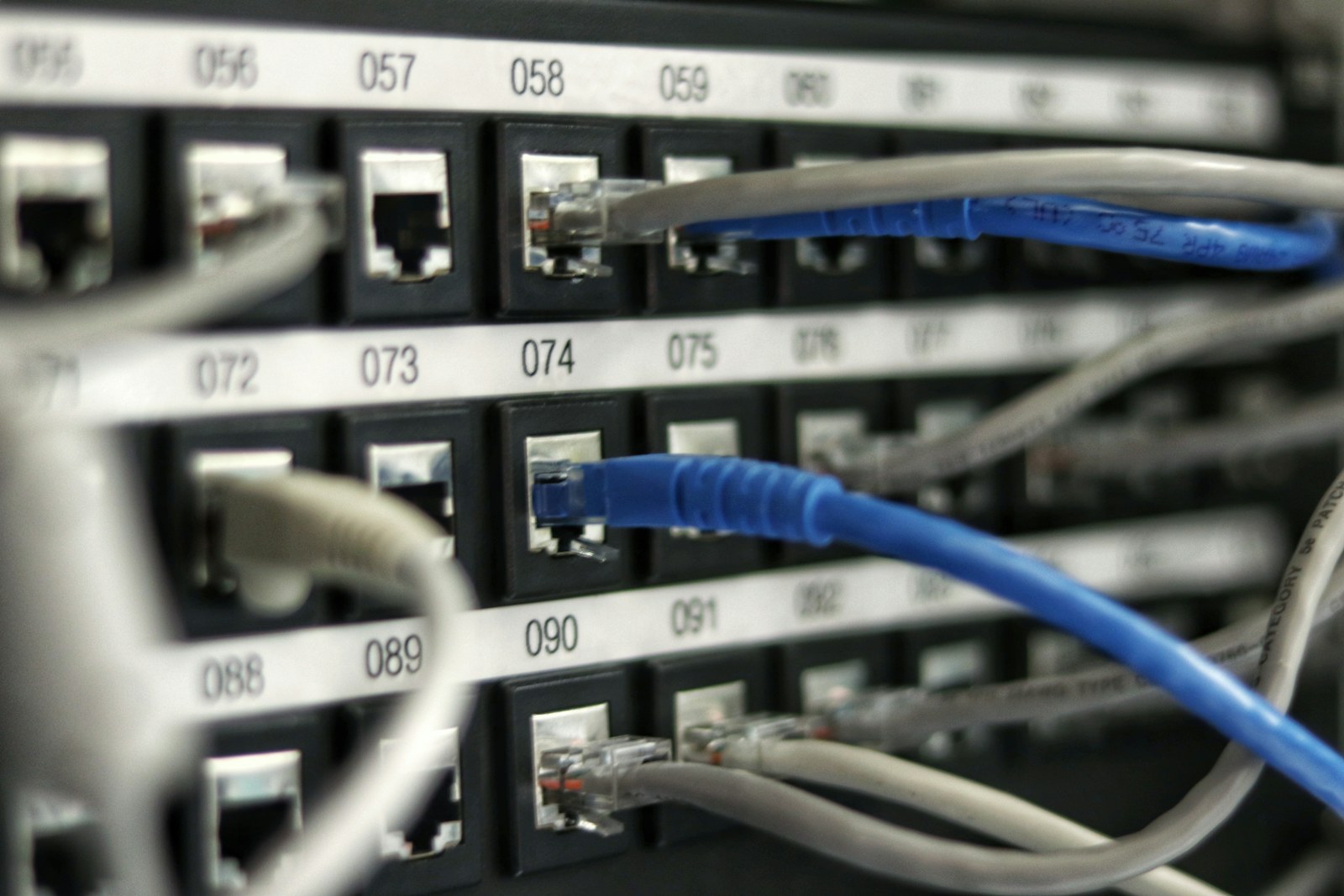
Cloud data is not floating in the atmosphere. It resides on physical servers, disks, networking equipment, and backup systems in data centers. Providers use virtualization to divide a powerful physical machine into isolated virtual machines, allowing different customers’ workloads to share hardware while remaining logically separated. A provider can then allocate more or fewer virtual CPUs, memory, and storage as demand changes.
This pooling explains why a student can create a document without knowing which rack holds it, while a company can launch a website without first purchasing a room full of servers. Cloud providers describe this model as on-demand delivery of computing, storage, databases, and other IT resources, commonly with pay-as-you-go pricing.[2]
What happens when you open a cloud app?
Consider a student opening a browser-based word processor:
- Your device connects. The browser resolves the service’s web address, establishes an encrypted connection where supported, and sends a request through the internet.
- The service identifies you. The provider checks the account, session, permissions, and—if enabled—multifactor authentication.
- Servers run the application. Application code executes on provider-managed infrastructure. In a software-as-a-service (SaaS) product, the provider manages nearly the entire application stack; you mainly manage your account, settings, and content.
- Storage reads or writes data. The service retrieves the document from a database or object-storage system. When you press Save, the latest changes are sent back to the provider and associated with your account.
- The result returns to you. The service sends page data or API responses to your device, which displays the interface. Some processing may also happen locally, but the authoritative copy and much of the application logic can remain remote.
- The NIST Definition of Cloud Computing (SP 800-145) The formal definition of cloud computing, its on-demand shared resource model, and the three service models (IaaS, PaaS, SaaS).
- What is cloud computing? On-demand delivery over the internet, provider-operated physical infrastructure, pay-as-you-go use, elasticity, and practical descriptions of IaaS, PaaS, and SaaS.
- Data availability and durability The distinction between availability and durability, plus documented examples of redundancy across devices, zones, and regions.
- Shared responsibility in the cloud The division of security duties among provider and customer across IaaS, PaaS, and SaaS, including customer responsibility for data, identities, accounts, and access controls.
A slow connection can therefore make a cloud app feel slow even when the provider’s servers are operating normally. Conversely, a local copy or cached page may remain visible briefly while the service itself is unreachable; that does not necessarily mean a new change has been saved.
Three common levels of cloud service
NIST identifies three service models, and the division of work matters.[1]
SaaS: use a finished application
Examples include webmail, online office suites, and customer relationship software. The provider manages servers, operating systems, and most application maintenance. Users still need strong passwords, careful sharing settings, and a plan for exporting important files.
PaaS: deploy code without managing the underlying servers
A developer might upload a web application to a platform service. The provider manages physical machines and much of the operating-system layer; the developer focuses on code, data, application configuration, and access controls.
IaaS: rent the building blocks
An IT team can provision virtual machines, networks, and disks. This offers more control, but also more responsibility: the customer may need to patch the operating system, configure firewalls, restrict administrator access, and monitor the workload.
Is cloud storage automatically safe and backed up?
Cloud storage can be engineered for redundancy, but “stored online” does not mean “immune to loss.” Google Cloud distinguishes availability—being able to access data on request—from durability—protecting data so it remains intact and uncorrupted.[3] Its documentation describes redundancy across devices and, for some location choices, across zones or regions. Those are service design features, not a substitute for understanding the provider’s terms, retention settings, recovery options, or your own backup needs.
For an ordinary user, accidentally deleting a shared folder, losing an account, or granting access to the wrong person can be more immediate threats than a failed disk. Professionals should also ask where data is stored, how long deleted data is retained, how restoration is tested, and whether a second provider or offline copy is appropriate.
Security is shared responsibility
Moving to the cloud transfers some operational work; it does not transfer all security obligations. Microsoft’s current Azure guidance says customers retain responsibility for their data and identities across cloud deployment types. Customers also manage accounts, access controls, and endpoint protection; the provider manages the physical data center and underlying infrastructure, with the balance changing between IaaS, PaaS, and SaaS.[4]
That means a provider can secure its buildings while a customer still exposes a database through a permissive setting. A useful baseline is to enable multifactor authentication, use least-privilege access, keep devices updated, review sharing links, encrypt or classify sensitive data appropriately, monitor activity, and test recovery. Students can apply the same habits to school accounts; professionals should add documented access reviews and incident procedures.
What cloud computing changes for users
For users, the benefits are convenience, access across devices, collaboration, and fewer local installations. For organizations, elastic capacity can support a sudden registration rush, a product launch, or a data-analysis job without permanently owning peak hardware. The trade-offs are subscription or usage costs, dependence on connectivity and provider availability, privacy and compliance decisions, and the risk of configuration or account mistakes.
Conclusion
Cloud computing is a service arrangement built on real data centers, virtualized resources, networks, and software. Your request travels to provider infrastructure, application code processes it, and storage systems retrieve or update data before the result comes back to your device. Understanding that chain makes the cloud less mysterious—and makes it easier to choose sensible passwords, backups, permissions, and service plans.
Sources and references
Researched and written for 2026-11-05; claims are based on the cited official documentation available by that date.
Post your Comment About This Product